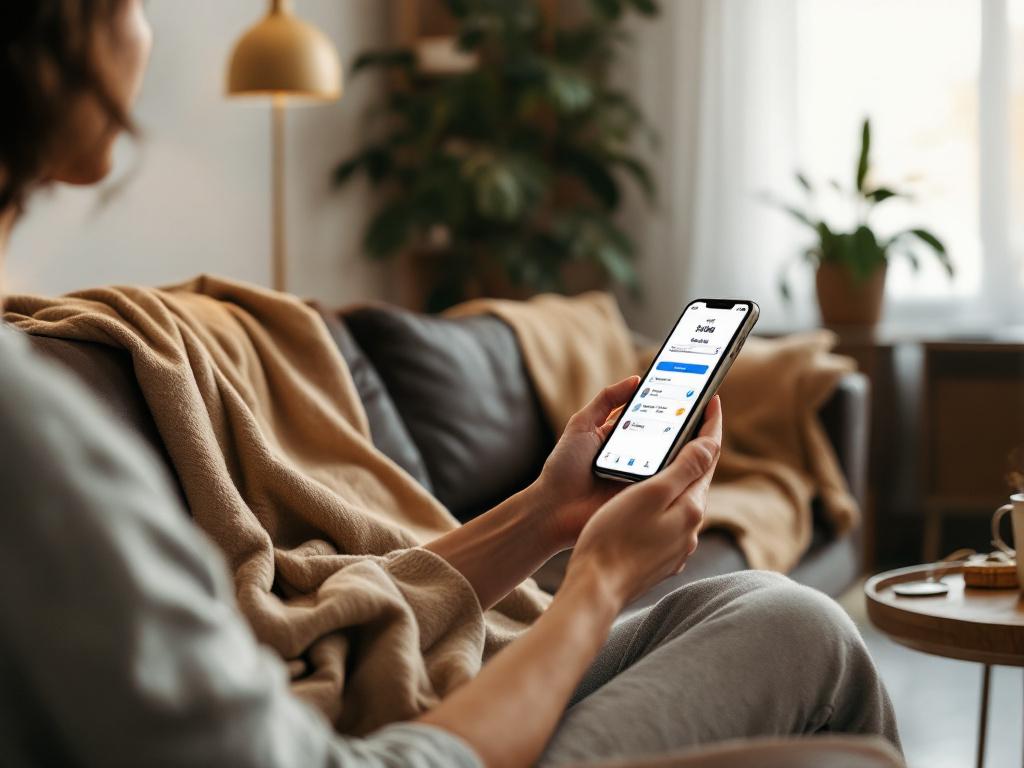
Morning routine optimization with AI task scheduling
Optimize your morning routine with AI task scheduling for a smoother, stress-free start.
Wake Up and Smash Your Day: How AI Can Turn Your Morning Routine Into a Productivity Powerhouse

Picture this. Your alarm goes off at 6:30 AM. You roll over, grab your phone, and immediately get hit with a tidal wave of messages and emails. By the time you’ve cleared the notifications, it’s 7:15 AM and you’ve already lost 45 precious minutes. Sound familiar?
The first hour of your day sets the tone for everything that follows. When it’s chaotic, the rest of your day often feels the same way. But what if your morning could run like a well-oiled machine? What if an AI assistant could help you start your day calm, focused, and ready to dominate—not just react?
That’s where Claw for All comes in. Imagine having a personal AI assistant that not only manages your tasks, email, and schedule but actually anticipates what you need before you do. No technical setup. No learning curve. Just a smooth, smart start to your day.
Let’s break down how AI-powered task scheduling can transform your morning—and how Claw for All makes it possible for anyone.
Why Your Morning Routine Matters More Than You Think
You’ve probably heard that “the early bird gets the worm,” but science backs this up in a big way. Research from the Harvard Business Review shows that how you start your morning influences your productivity, mood, and even decision-making for the entire day.
But here’s the catch: most of us aren’t starting smart. We’re starting reactive. Checking email first thing, jumping into meetings unprepared, or wasting time on low-value tasks that could wait.
An optimized morning routine isn’t about waking up at 5 AM or doing yoga on a mountaintop. It’s about creating a calm, intentional start that gives you control—not the other way around.
And that’s where AI can help.
How AI Task Scheduling Works in Real Life
Let’s take a typical morning and see how AI can streamline it.
Scenario: A Busy Parent and Professional
You’re a working parent with a spouse and two kids. Your phone buzzes at 6:30 AM. Instead of diving into your email or social media, your AI assistant has already prepared a plan based on your calendar, priorities, and habits.
Here’s what that might look like with Claw for All:
-
6:30 AM – Wake Up Your AI assistant sends you a gentle voice message (via WhatsApp or Telegram) or a text: “Good morning! Today’s your big presentation at 9 AM. I’ve blocked 30 minutes for prep starting at 7:15. Your commute is 25 minutes, so leave at 8:15. Traffic’s light today. Also, don’t forget to wish Sarah happy birthday at 7:45.”
No scrolling. No guesswork. Just clear, prioritized next steps.
-
7:00 AM – Kids and Breakfast While you help the kids get ready, your AI assistant silently handles low-priority emails in the background. It flags urgent ones and drafts polite responses to recurring requests like “Can we schedule a call?” or “Here’s the updated report.”
-
7:45 AM – Birthday Reminder At exactly 7:45 AM, your AI assistant sends a message to your partner: “Happy birthday, Sarah! Hope you have a wonderful day. 🎉” Sent via WhatsApp or Telegram—no manual typing required.
-
8:00 AM – Commute Prep As you walk out the door, your AI assistant pulls up the latest news on your industry for your presentation, summarizes it in 3 bullet points, and reads it aloud to you while you drive.
-
8:15 AM – Leave for Work Your AI assistant confirms your ETA to the office, checks the weather, and reminds you to grab your umbrella if needed.
This isn’t futuristic. It’s available now—with Claw for All.
The Magic of AI: Prediction, Automation, and Personalization
What makes AI different from a regular to-do list or calendar app?
It’s not just about remembering tasks. It’s about understanding them.
Here’s how:
1. Predictive Scheduling
AI doesn’t just follow your schedule—it learns it. Over time, it starts to predict when you need to do things. For example:
- If you always prep for meetings on your commute, it’ll block that time.
- If you forget to drink water, it’ll nudge you every 2 hours.
- If you’re running late, it’ll adjust your schedule automatically.
2. Context-Aware Automation
AI doesn’t just schedule tasks—it knows which ones matter. For instance:
- If you get an email from your boss at 6 AM, it flags it as urgent and sends you an alert.
- If you’re on a family vacation, it adjusts your work notifications accordingly.
- If you’re in a meeting, it silences non-urgent messages.
3. Cross-App Integration
No more jumping between email, calendar, WhatsApp, and Telegram. Claw for All connects them all in one place. You can:
- Reply to WhatsApp messages via voice command.
- Get email summaries delivered to Telegram.
- Schedule a meeting with a friend directly in chat.
You’re not just managing your morning—you’re orchestrating it.
Real Tips to Optimize Your Morning with AI
Ready to give it a try? Here are five practical ways to start using AI for your morning routine—no tech expertise required.
1. Start with a "Morning Brief"
Instead of checking email first thing, have your AI assistant send you a short summary of:
- Top 3 priorities for the day
- Any urgent messages
- Weather, traffic, and calendar alerts
With Claw for All, you can set this up to arrive via WhatsApp, Telegram, or email at your chosen wake-up time.
2. Batch Low-Effort Tasks
Let your AI handle:
- Confirming appointments via WhatsApp
- Sending birthday wishes
- Filtering and summarizing emails
- Setting up reminders for recurring tasks (like taking medication)
This frees up your brain for higher-level thinking.
3. Use Voice Commands for Hands-Free Control
No typing. No typing. No typing. Just speak your commands:
- “Remind me to call Mom at 7 PM.”
- “What’s on my schedule tomorrow?”
- “Summarize my emails from Sarah.”
Claw for All supports voice input and works across your devices.
4. Set "Focus Blocks" Overnight
Before you go to bed, tell your AI assistant:
- “Tomorrow at 7 AM, give me 30 minutes to prep for my presentation.”
- “Don’t disturb me before 8 AM unless it’s urgent.”
- “Block 10 minutes at 9 AM to review my to-do list.”
Wake up to a fully planned morning—no decision fatigue.
5. Let AI Learn Your Patterns
The more you use Claw for All, the smarter it gets. For example:
- It might notice you always check the news during breakfast and start summarizing articles for you.
- It could learn that you prefer to respond to certain contacts via WhatsApp, not email.
Over time, it adapts to your rhythm—not the other way around.
What About Privacy and Control?
This is the big question: Can I trust an AI with my schedule, messages, and personal data?
Yes—if it’s built with privacy in mind.
Claw for All is designed to give you control:
- You choose which apps it connects to (Gmail, WhatsApp, Telegram, etc.).
- You decide what it can and can’t access.
- You can turn it off anytime.
Think of it like a super-smart assistant—not a spy. It’s there to help, not to collect or sell your data.
Your Morning, But Smarter—Starting Today
Let’s be real: mornings are hard. Between family, work, and life’s curveballs, it’s easy to feel like you’re constantly playing catch-up.
But what if you could hit the ground running—calm, prepared, and in control? No more reactive chaos. No more wasted minutes. Just a smooth, intelligent start to your day.
That’s the power of AI-powered task scheduling with Claw for All.
Ready to try it?
- Sign up for Claw for All at clawforall.app.
- Connect your email, WhatsApp, Telegram, and calendar.
- Set a few basic rules (like “Send me my top 3 tasks at 7 AM”).
- Wake up tomorrow and let AI take the reins.
No terminal. No setup. Just a better morning.
Because your day deserves a better start—and your brain deserves a break.
Let’s make mornings manageable again. 🌅